Your delivery, your brand. Not Vimeo's.
STRIMY is the Vimeo alternative built for videographers who deliver their work with their own brand and a premium look. Upload one of your own videos and see for yourself: a branded portfolio, password-protected delivery, no Vimeo anywhere in sight.
7-day trial, no card required. Would you rather read how to get your videos out of Vimeo first? See the guide
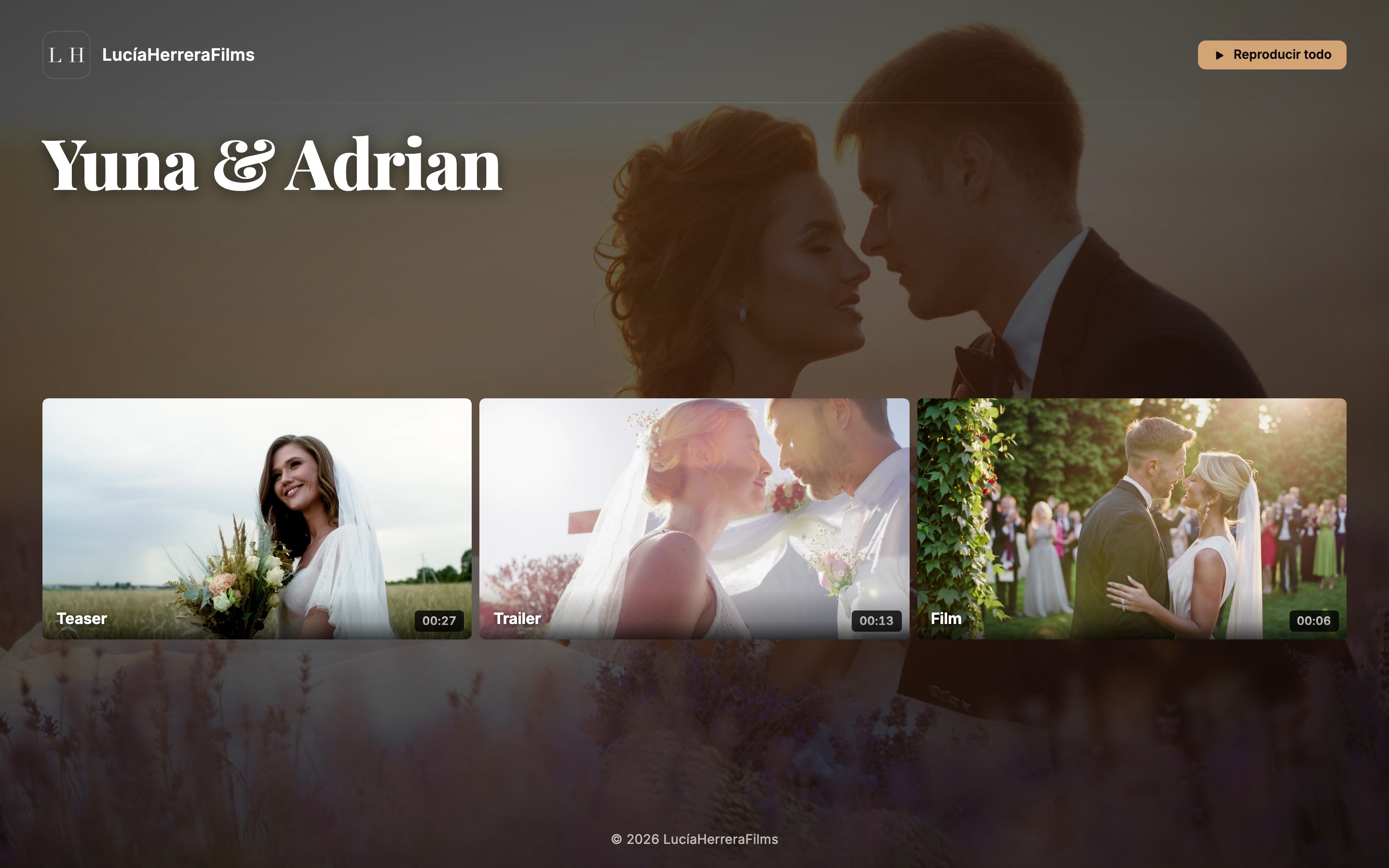
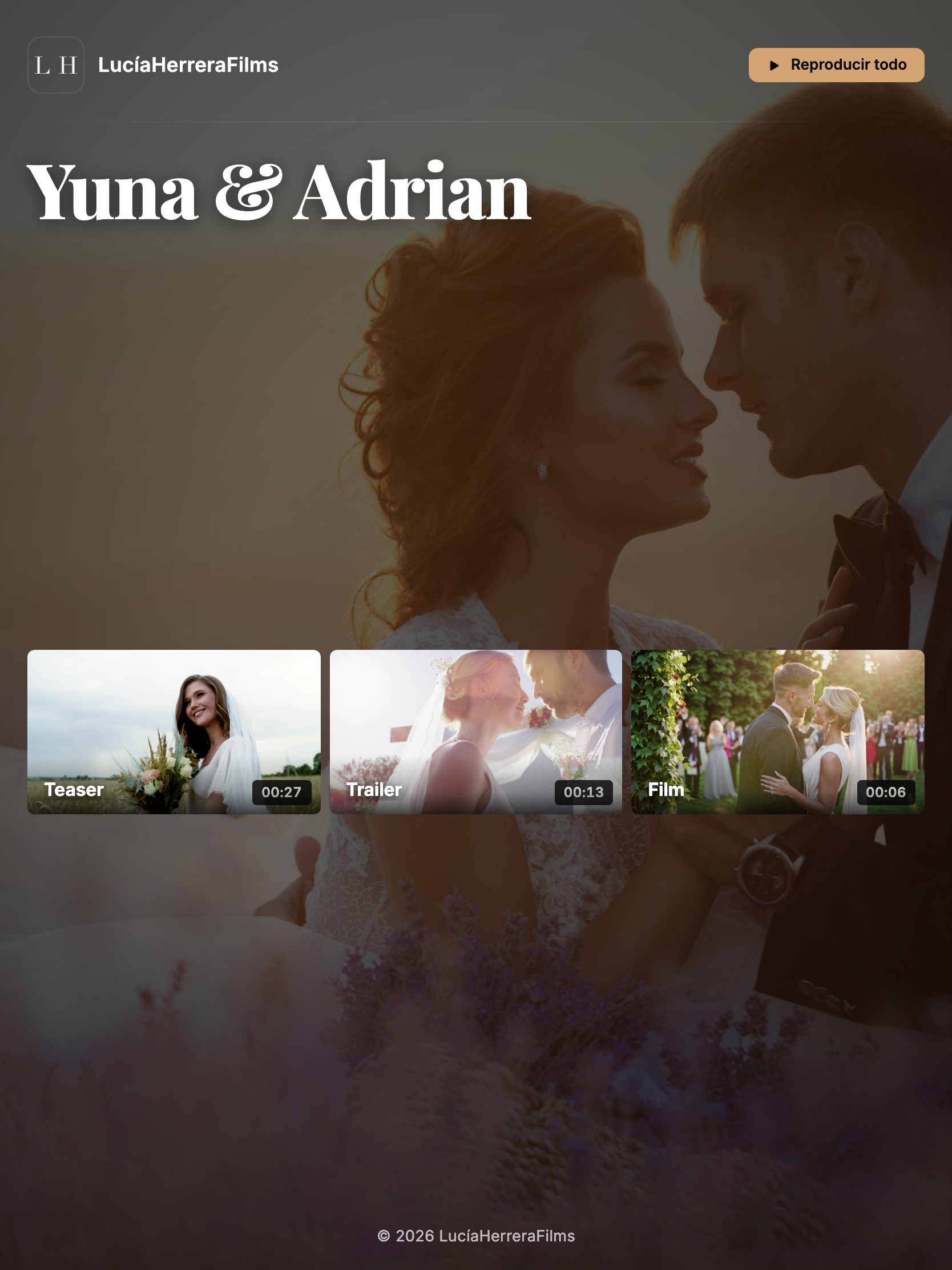
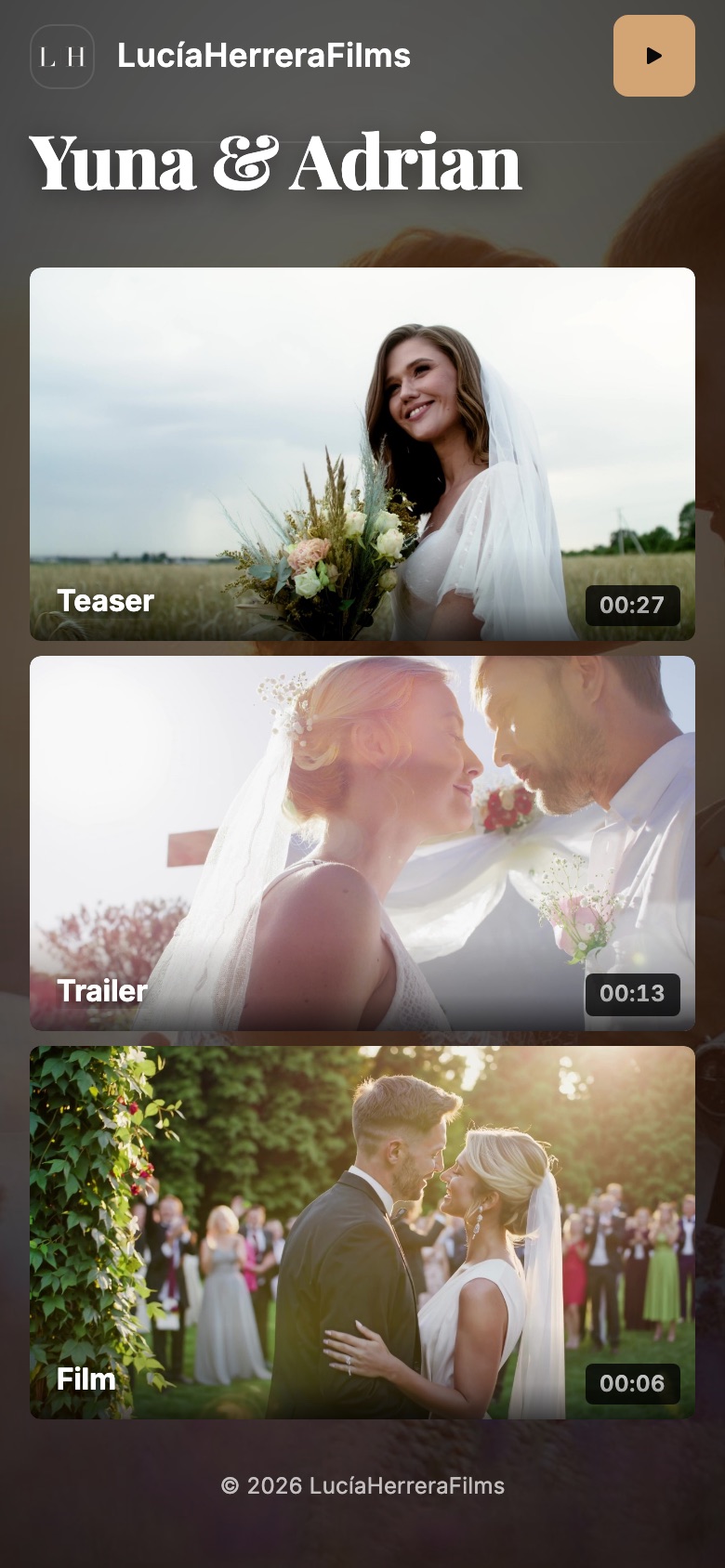
Your portfolio, with your brand
Your client opens a link and sees your logo, your colours and your typography. No ads, no other people's videos next to yours, and no sign-up.
And you tune it to taste
Colours, typography, logo and background: the style editor leaves the delivery wearing your studio's face, not ours.
See a real portfolio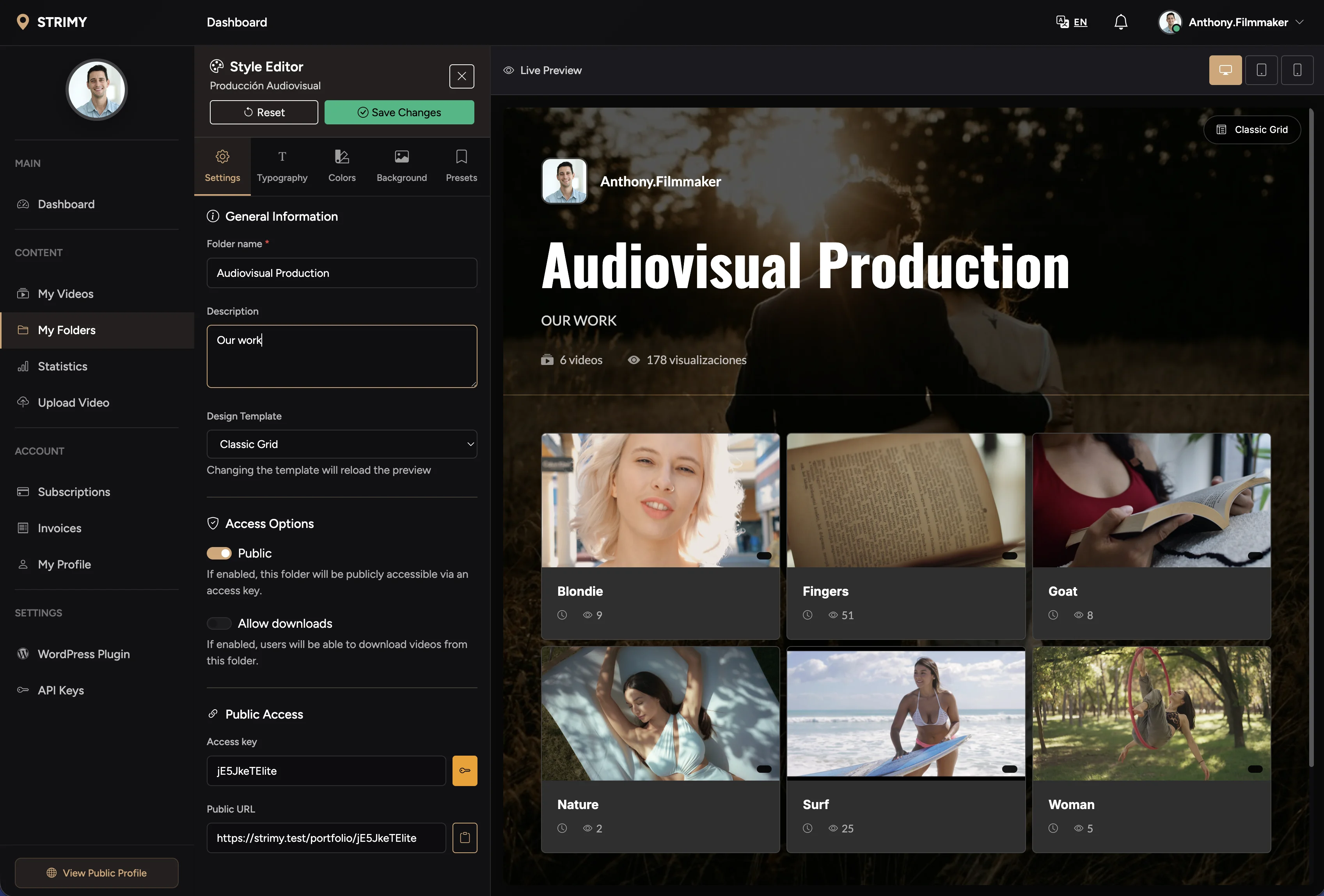
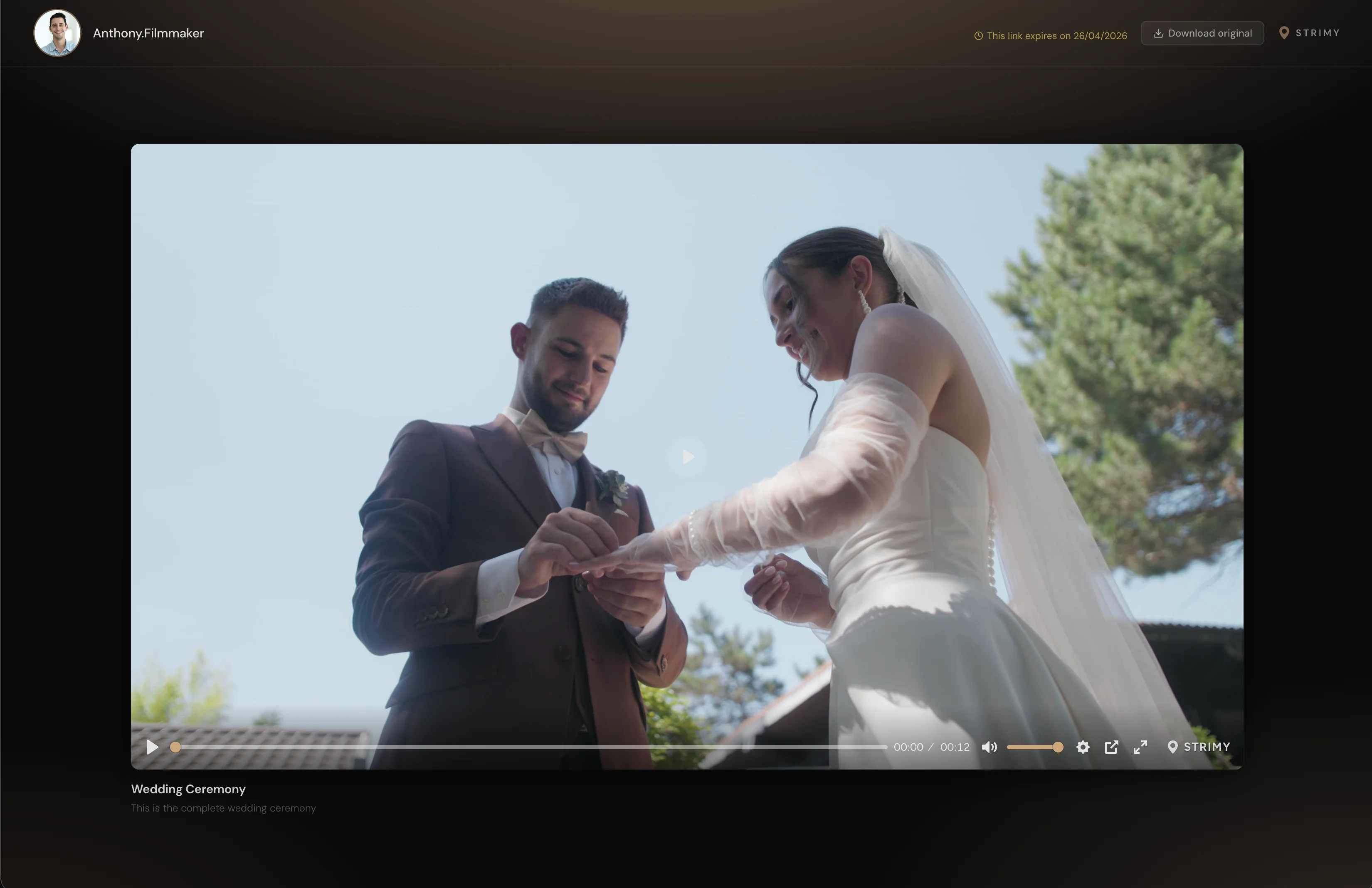
This is how your client receives it
One link, password-protected if you need it. Adaptive-quality video and nothing else: no sign-up, no ads and no recommendations of other people's videos.
What a videographer gains with STRIMY
The delivery carries your brand
Your client sees your logo, your colours and your typography, not the chrome of a public video platform. Every delivery looks like it came out of your own studio.
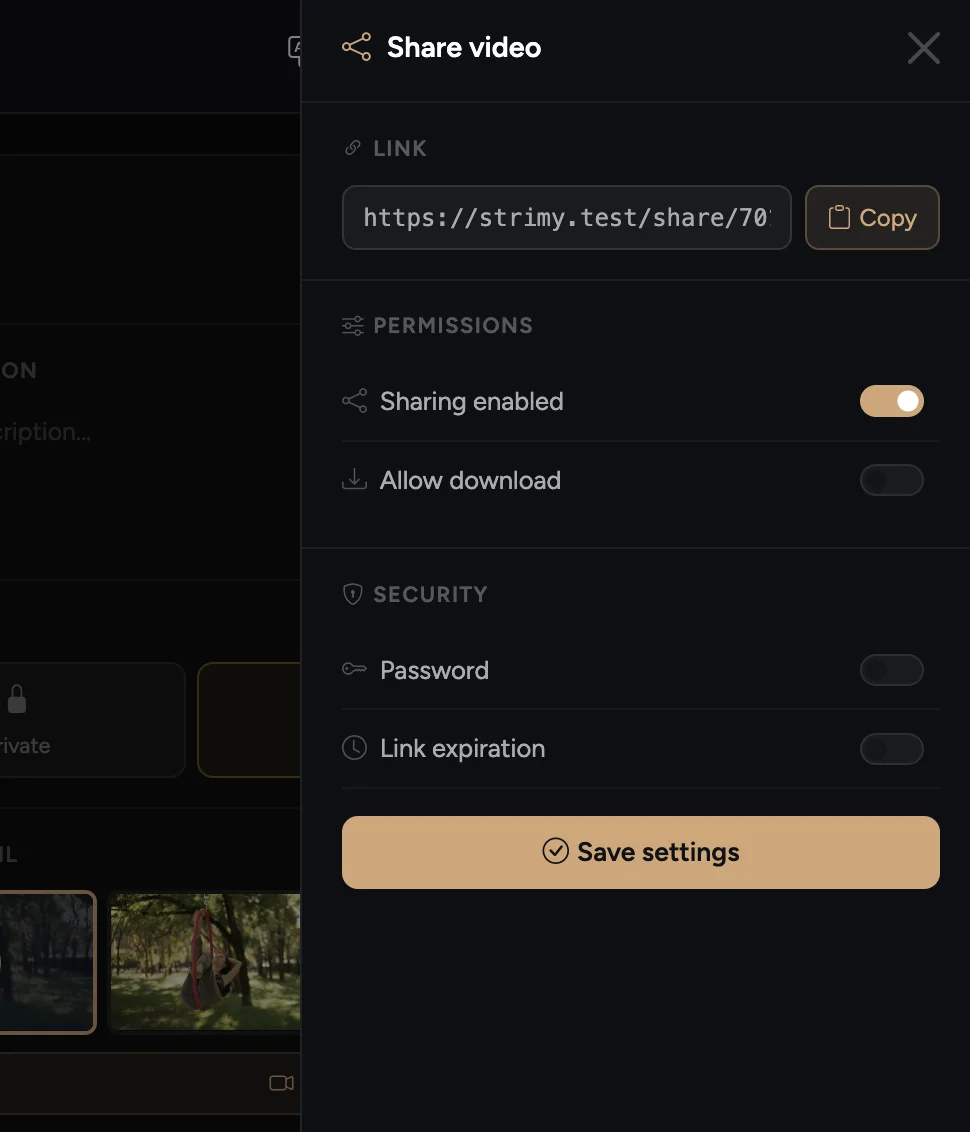
You decide who sees each video
Password-protect any delivery, share it only with the people who need to see it, and pull it whenever you want. The control is yours, not the platform's.
A proper EU invoice, in your language
Billing in euros, a proper EU invoice, and a team that answers in your language. No English-only tickets, no days-long waits.
Once you subscribe, get everything out of Vimeo in under an hour
The 7-day trial comes with 1 GB so you can see how one of your deliveries looks. The full move happens once you subscribe: for a 20-50 video library it takes between 30 minutes and 2 hours depending on your upload speed.
Download your Vimeo library
Vimeo offers no bulk download for your library — and on free plans it won't even let you download your own videos from its website. The real way to get your content back is a free, open-source tool (yt-dlp) that, using your own Vimeo session, downloads all your videos to your computer, including private and password-protected ones. We give you the guide with the exact commands.
Create your STRIMY account
Sign up at strimy.pro — 30 seconds, no credit card required. You get 7 days of free trial with 1 GB to try out a delivery, including branded portfolios and view analytics.
Upload your videos to STRIMY
Drag your files into the STRIMY dashboard. We accept up to 12 GB per file, in 4K and up to 3 hours long. Upload goes directly to AWS S3 (fast) and HLS transcoding happens automatically.
Build your branded portfolio
Organize videos in folders and activate your portfolio. Choose from 6 templates (Cinema, Grid, Minimal, Sidebar, Carousel, Overlay), add your logo and customize colors. Your portfolio carries your brand from plan one; removing the "Powered by STRIMY" footer is a Pro-plan feature.
Update embeds on your website
In STRIMY, every video has its own embed code. Copy and replace Vimeo embeds on your website, blog, or learning platform. The player is clean, ad-free, and compatible with all browsers.
Cancel Vimeo when you're ready
Once everything is migrated and your links are updated, cancel your Vimeo subscription. We recommend keeping both accounts active for 1–2 weeks to ensure all external links have been updated.
Why STRIMY is the best alternative
Your clients will never see ads or suggested videos. Just your work, with your brand.
STRIMY gives you your logo, colors and typography from plan one, starting at €15.99/month. Removing the "Powered by STRIMY" footer is a Pro-plan feature.
AWS CloudFront in 100+ countries. Your videos load fast anywhere in the world.
Dedicated support team. Real answers, not automated replies.
From €15.99/month, no commitment, or €149/year if you'd rather pay once. No bandwidth charges, no bill surprises.
Up to 3 hours per video and 12 GB per file, in 4K. Upload the master you export from your editor.
What else you get
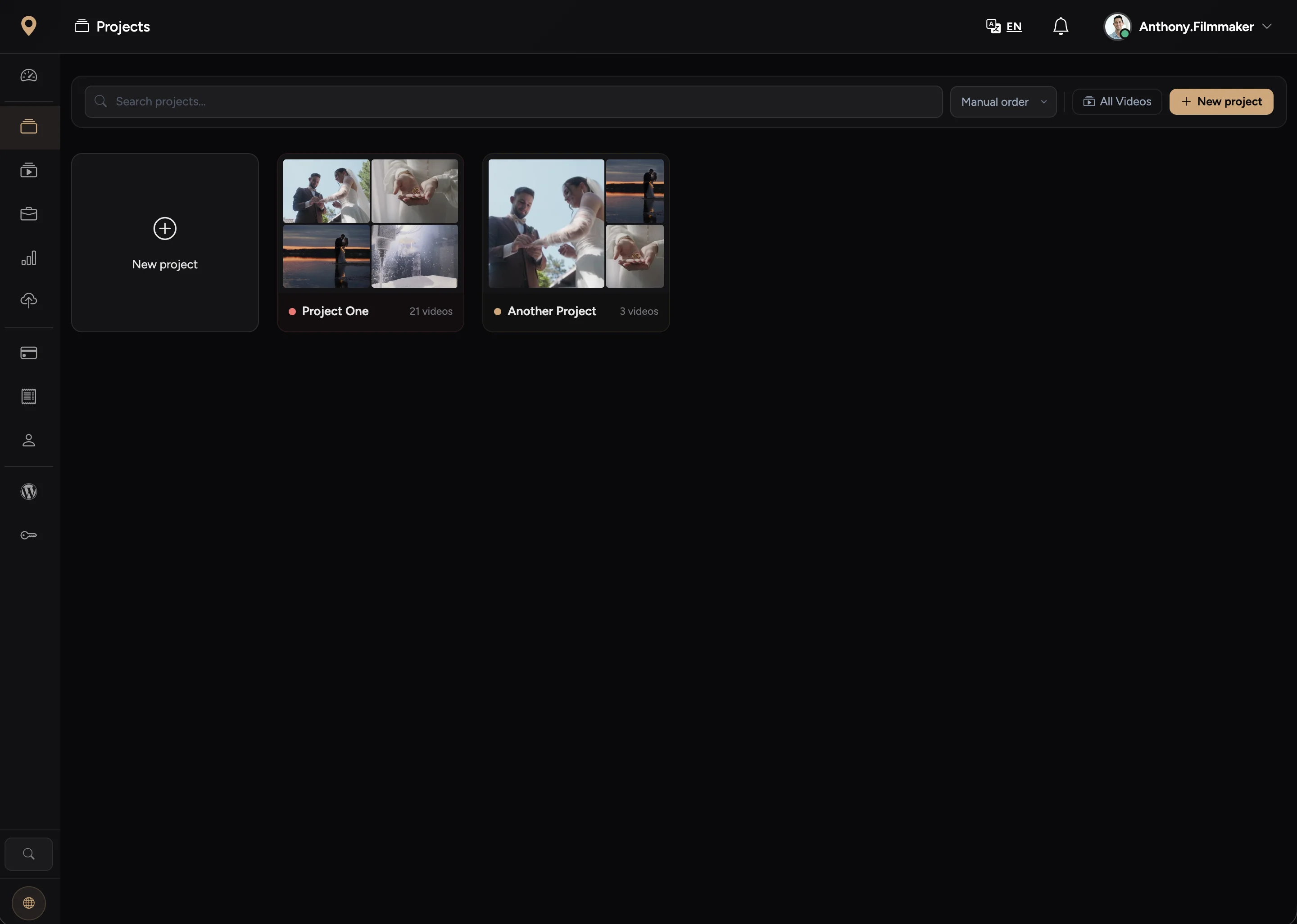
Projects organised by client
Nested folders, your own ordering and per-project styles. Every delivery in its place, not a drawer full of loose links.
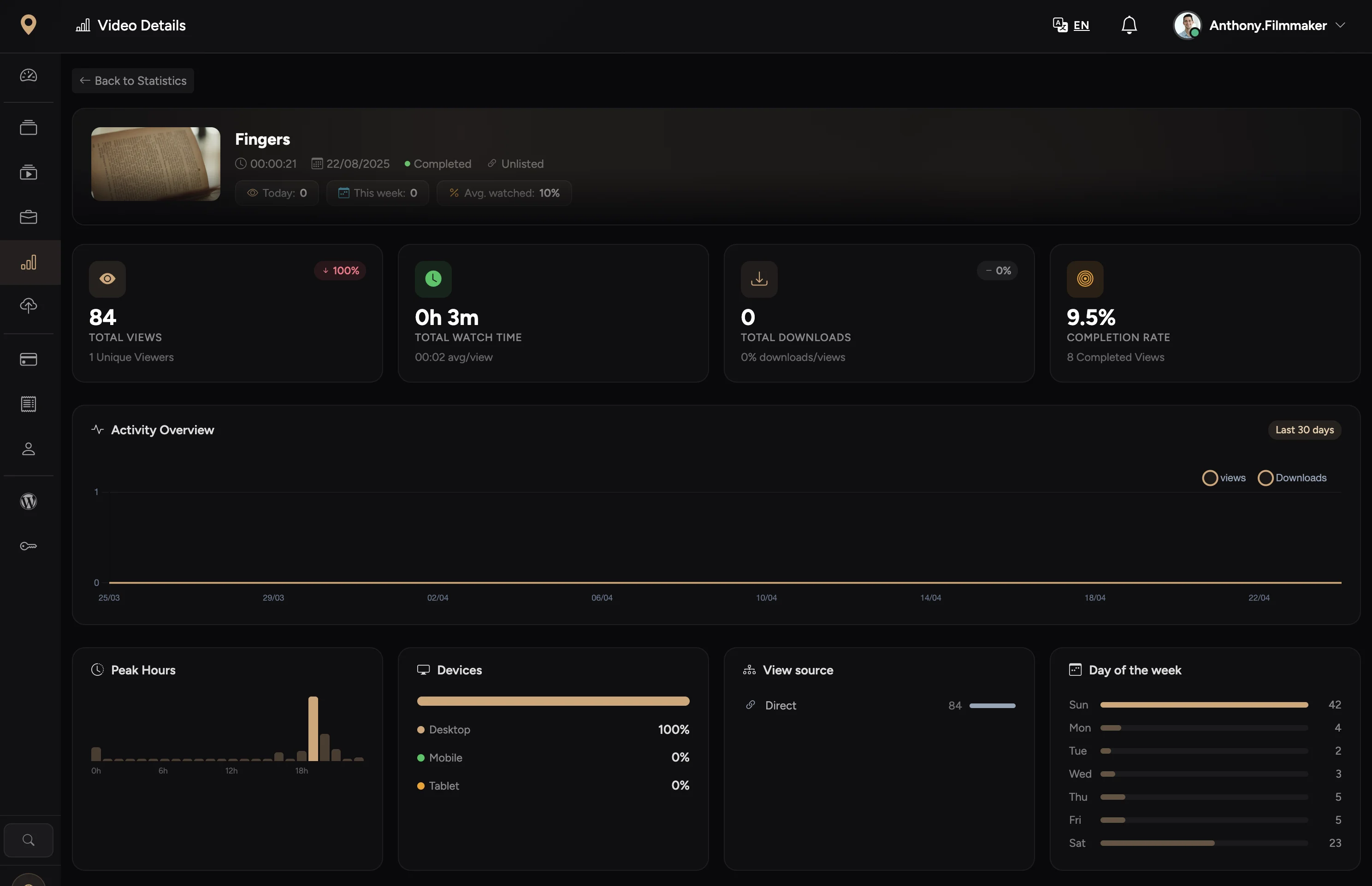
Per-video analytics
Who watched it, how much they watched and from where. Handy for knowing whether the client has already reviewed the cut before you call.
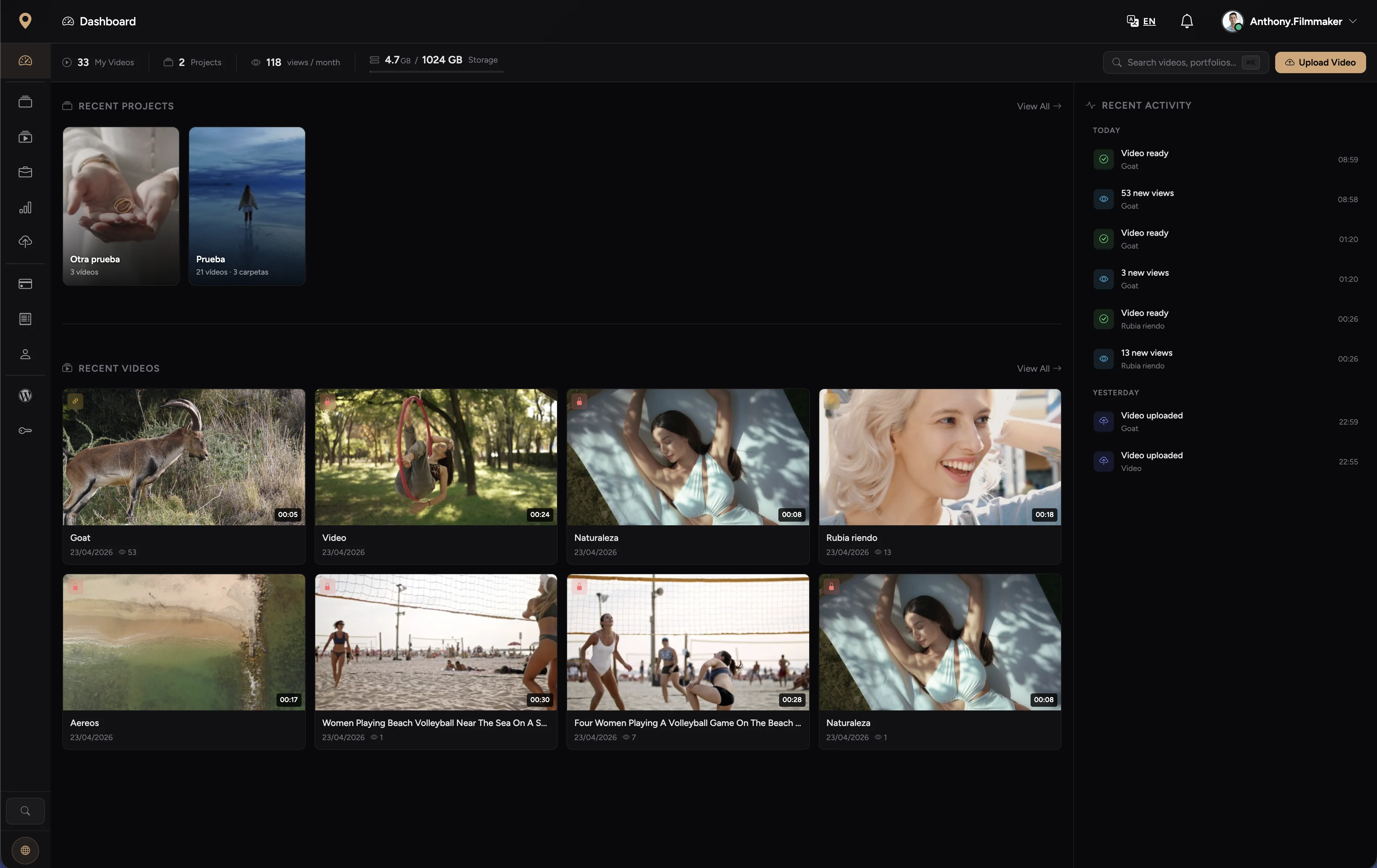
A dashboard that keeps up
Direct resumable uploads to S3, automatic HLS transcoding and unlimited bandwidth with no view cap.
What our customers say
Professionals who trust STRIMY
Outstanding quality and full access control.
I use STRIMY to host and distribute audiovisual content in cultural and institutional settings, and the results are excellent. It offers outstanding playback quality, great stability, and precise access control — all essential for this type of project.

After the free trial I cancelled Vimeo.
I use STRIMY to deliver my work to both social and corporate clients. It's very easy to use, and whenever I have a question they respond quickly and clearly. My clients give me very positive feedback about their experience receiving work through this gallery.

Moving from Vimeo was one of my best decisions.
Being able to deliver my work through custom portfolios greatly improves the client experience and projects a far more professional image. It gives you genuinely useful statistics to understand how clients interact with each project.

What happens to your videos if you stop paying
The question nobody asks out loud before moving their work to another platform. Here is the answer, no small print.
3 days of grace
If a payment fails, your subscription keeps working for three more days while you sort it out. Nothing is cut off abruptly.
30 days before anything gets deleted
If your subscription expires, your videos aren't wiped instantly: you get a 30-day window before anything is deleted. Reactivate your plan within that window and you get full access back.
Never a silent deletion
If your videos do end up being deleted, you get an email confirming exactly what was removed. Nothing disappears without you knowing.
Applies to paid subscriptions. During the 7-day trial you get 1 GB to see how your delivery looks, without this 30-day window: trial videos are removed as soon as it ends.
Fixed pricing, everything included
Monthly with no commitment, or yearly if you would rather pay once and forget. No extra charges for bandwidth or views.
- Unlimited bandwidth
- 50 portfolios
- 10 projects
- 20 active shares
- 30 days of analytics
- Unlimited bandwidth
- 100 portfolios
- 50 projects
- 100 active shares
- 180 days of analytics
- Unlimited bandwidth
- Unlimited portfolios
- Unlimited projects
- Unlimited shares
- Unlimited analytics
- No STRIMY branding
Common questions about migrating
Can I import my videos directly from Vimeo, without downloading them?
No: Vimeo's API doesn't let external platforms access your files. The real process is to download your library with a free tool — we give you the step-by-step guide — and upload it to STRIMY. It works with all your videos, including private and password-protected ones.
Will my old Vimeo URLs still work?
Yes, as long as you keep your Vimeo account active, the links will keep working. We recommend a gradual transition — update embeds before canceling Vimeo.
Does STRIMY have an official WordPress plugin?
Yes. There's an official plugin on WordPress.org that lets you embed STRIMY videos in any post or page with a shortcode.
What happens to my videos during the trial?
The 7-day trial comes with 1 GB, enough to see how one of your deliveries looks: branded portfolios, analytics and password-protected sharing, all active from minute one. The full migration of your library happens once you subscribe. If you don't subscribe, your trial videos are deleted when it expires.
Can I use my own domain for portfolios?
Not yet. Portfolios are served on a STRIMY URL (strimy.pro/portfolio/your-key) that you can customise, and the design carries your logo and colours. A custom domain is on the roadmap, not available today.
Why leave Vimeo right now?
Bending Spoons closed its acquisition of Vimeo in November 2025, and on January 20, 2026 laid off most of the staff, including the entire video engineering team, after an earlier round cut around 10% in September 2025. That's not why we recommend STRIMY, but if you were looking for confirmation that something changed at Vimeo, there it is.
Your work has been on loan for too long
See it for yourself with one of your own videos: 7-day trial, 1 GB, no credit card.
Upload one and see for yourselfQuestions about migrating? Write to us — we'll help you leave Vimeo. Contact us